ROS 2 Teleop Guide
Control Your Robot in Real-Time
What is Teleoperation?
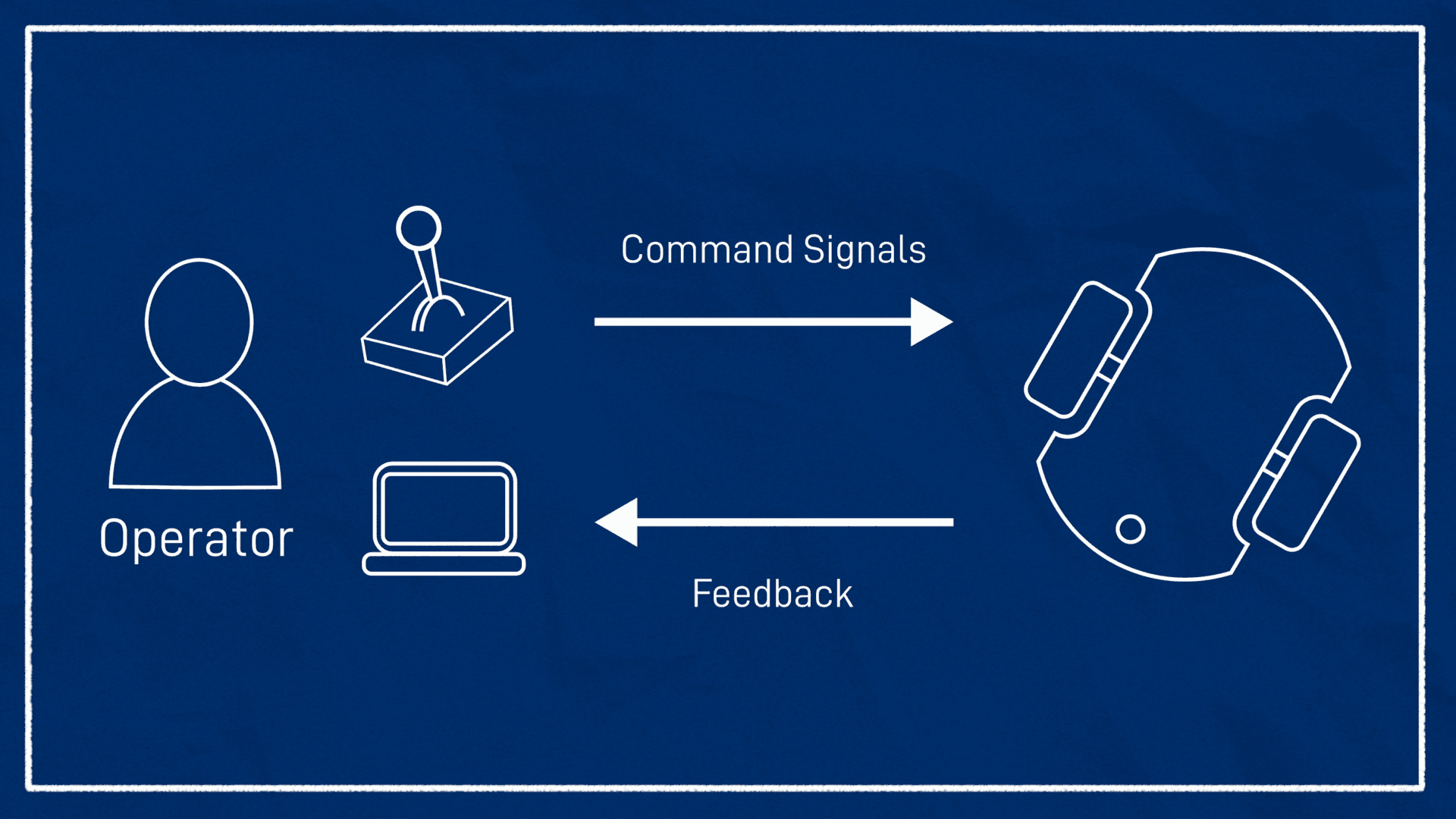
Teleoperation (remote control) is a powerful system that enables you to control your robot remotely in real-time. You can precisely navigate your robot using a physical joystick, keyboard, or virtual control panels.
💡 Important Note: All control methods are coordinated by the
twist_muxpackage, and only a single topic/mobile_base_controller/cmd_velis sent to the controller.
Main Features
1. Priority Management
When multiple velocity topics are active simultaneously, the one with the highest priority is automatically selected. This prevents conflicts between different control sources.
How It Works:
- A priority value is assigned to each input topic
- When multiple topics are active simultaneously, the highest priority one is selected
- Commands from other topics are ignored
2. Turbo Mode
Instantly increase or decrease the robot's speed via joystick.
⚠️ Warning: The turbo interface is NOT available for ALL velocity sources. It only allows adjusting the velocity command that the joystick sends to the robot.
3. Input Locking
Lock specific inputs to disable lower priority commands.
Usage:
- Locking is performed with
std_msgs/msg/Boolmessages - When the lock topic is
True, the corresponding input is locked - All inputs with lower priority than the locked input are disabled
Moving the Robot
Critical Safety Information
🚨 Attention! The
/mobile_base_controller/cmd_veltopic requiresTwistStampedmessages and validates the message timestamp. Publishing directly to this topic is not possible and is highly discouraged.
Recommended Method: /cmd_vel Topic
If you're creating a custom control node, publish velocity commands to the /cmd_vel topic.
Example Usage:
ros2 topic pub /cmd_vel geometry_msgs/msg/Twist "linear:
  x: 0.0
  y: 0.0
  z: 0.0
angular:
  x: 0.0
  y: 0.0
  z: 0.5" -r 10
This command rotates the robot at 0.5 rad/s.
Important Warnings
Obstacle Detection:
🛑 When publishing via
/cmd_vel, obstacle detection is disabled. The robot will move in the direction and speed you specify, without considering obstacles in the environment.
Continuous Motion:
- To keep the robot moving continuously, you must publish velocity commands at a 10Hz frequency
- Each command is valid for 0.5 seconds
- If the robot stops after this time, the command must be repeated
Topic Priorities:
📌 The
/cmd_veltopic has the lowest priority. When using it:
- Ensure no other velocity topics are active
- Verify that lock inputs are set to
False
Configuration
You can customize your robot's behavior by creating custom configurations for twist_mux.
Step 1: Create Configuration Directory
mkdir -p ~/.pal/config
Step 2: Create Configuration File
touch ~/.pal/config/99_my_twist_mux_config.yaml
💡 Tip: The filename should start with a number (e.g.,
99_). This ensures the file is loaded last and overrides default configurations.
Step 3: Define Parameters
/twist_mux:
   ros__parameters:
      # Your custom parameters here
      topics:
        cmd_vel:
          topic: cmd_vel
          timeout: 0.5
          priority: 10

        joy_vel:
          topic: joy_vel
          timeout: 0.5
          priority: 100

        nav_vel:
          topic: nav_vel
          timeout: 0.5
          priority: 50

      locks:
        - name: joystick_lock
          topic: joy_priority
          timeout: 0.5
          priority: 255
Step 4: Restart Module
pal module restart joystick
Reverting to Default Settings
To return to the default PAL configuration:
rm ~/.pal/config/99_my_twist_mux_config.yaml
pal module restart joystick
📝 Note: This change is persistent and will be loaded every time you start the joystick module.
ROS 2 API Reference
All ROS 2 interfaces provided by the teleoperation system:
Topics
| Topic Name | Description | Message Type |
|---|---|---|
/assisted_vel | Assisted teleop velocity commands | geometry_msgs/msg/Twist |
/cmd_vel | General velocity commands (low priority) | geometry_msgs/msg/Twist |
/docking_vel | Velocity commands for docking operations | geometry_msgs/msg/Twist |
/input_joy/cmd_vel | Raw joystick input | geometry_msgs/msg/Twist |
/joy | Joystick state | sensor_msgs/msg/Joy |
/joy_priority | Joystick priority lock | std_msgs/msg/Bool |
/joy_vel | Joystick velocity commands | geometry_msgs/msg/Twist |
/key_vel | Keyboard velocity commands | geometry_msgs/msg/Twist |
/mobile_base_controller/cmd_vel | Final command sent to controller | geometry_msgs/msg/TwistStamped |
/rviz_joy_vel | RViz virtual joystick | geometry_msgs/msg/Twist |
/assisted_teleop_priority | Assisted teleop priority | std_msgs/msg/Bool |
Actions
| Action Name | Description |
|---|---|
/assisted_teleop_priority_action | Assisted teleop priority control |
/joy_priority_action | Joystick priority control |
/joy_turbo_angular_decrease | Decrease angular velocity |
/joy_turbo_angular_increase | Increase angular velocity |
/joy_turbo_decrease | Decrease linear velocity |
/joy_turbo_increase | Increase linear velocity |
/joy_turbo_reset | Reset turbo settings |
Further Reading and Resources
Recommended Documentation
Assisted Teleop
Advanced teleop usage with obstacle detection and safety features. Built-in obstacle avoidance mechanism for safe robot control.
Twist_mux Documentation
Official twist_mux package documentation and advanced features. Priority management, locking mechanisms, and configuration details.
ROS 2 Navigation
Nav2 integration for autonomous navigation. Seamless transition between teleop and autonomous navigation.
External Resources
Example Use Cases
Scenario 1: Joystick Control
# Start joystick module
pal module start joystick

# Control robot with joystick
# Use special buttons for turbo
Scenario 2: Keyboard Control
# Start keyboard teleop
ros2 run teleop_twist_keyboard teleop_twist_keyboard --ros-args --remap cmd_vel:=key_vel
Scenario 3: Custom Node Control
import rclpy
from rclpy.node import Node
from geometry_msgs.msg import Twist

class CustomTeleopNode(Node):
    def __init__(self):
        super().__init__('custom_teleop')
        self.publisher = self.create_publisher(Twist, '/cmd_vel', 10)
        self.timer = self.create_timer(0.1, self.publish_velocity)  # 10Hz

    def publish_velocity(self):
        msg = Twist()
        msg.linear.x = 0.5  # Move forward
        msg.angular.z = 0.0
        self.publisher.publish(msg)

def main(args=None):
    rclpy.init(args=args)
    node = CustomTeleopNode()
    rclpy.spin(node)
    rclpy.shutdown()
Frequently Asked Questions
The robot isn't responding to commands, what should I do?
- Check if twist_mux is running:
ros2 node list | grep twist_mux - Check if topics are active:
ros2 topic list - Check lock status:
ros2 topic echo /joy_priority - Review priority settings
Can multiple control methods be used simultaneously?
Yes, but only the one with the highest priority will be active. Others are ignored by twist_mux.
Does turbo mode work on all devices?
No, turbo mode is only available for joystick. This feature is not available for other control methods.
Conclusion
The ROS 2 Teleoperation system enables you to control your robot safely and flexibly. With twist_mux's priority management, locking mechanisms, and turbo features, you can achieve professional-level robot control.
Remember:
- ✅ Always prioritize safety
- ✅ Use assisted teleop when obstacle detection is needed
- ✅ Customize configurations for your specific needs
- ✅ Follow the documentation regularly
Mehmet Emin Ateş
Comments
(0)Loading comments...